
Auto mode - automated mode of promotion of your projects. The system is based on machine learning, it controls the link building process and saves you time to promote.
The SEO-user can save time on site selection and link placement by configuring the automatic link purchase. In order to use Auto mode, you must configure and save the Site List filter (the filters are configured in the "Filters" tab).
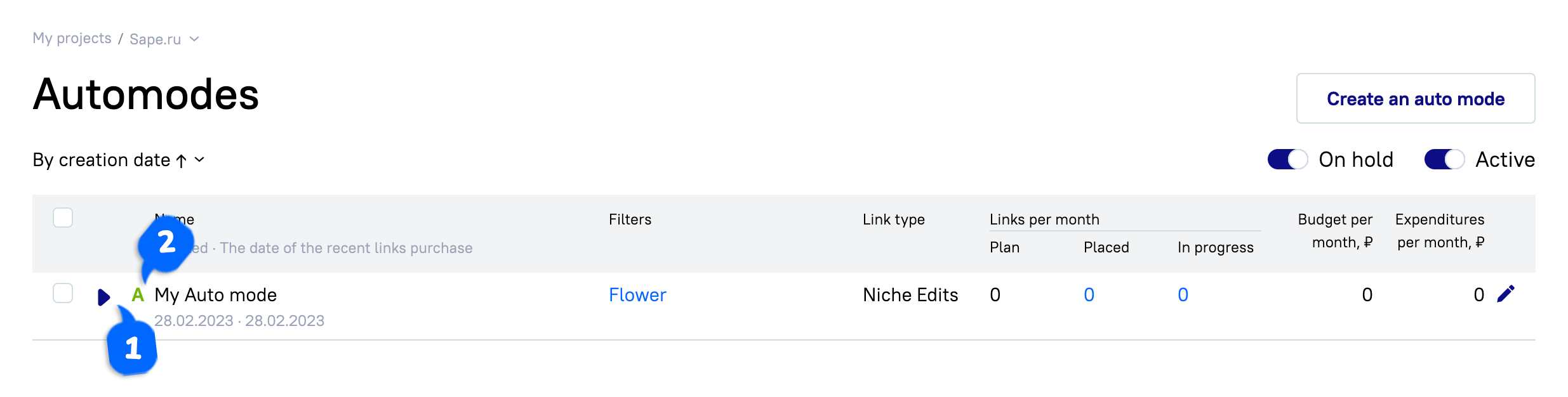
1. Auto mode status:
Active
On hold
2. The type of the auto mode can be:
Automatic — backlinks will be selected and approved automatically.
Semi-automatic — backlinks on the desired filter will be selected automatically, however you will need to approve them manually.
Auto mode creation
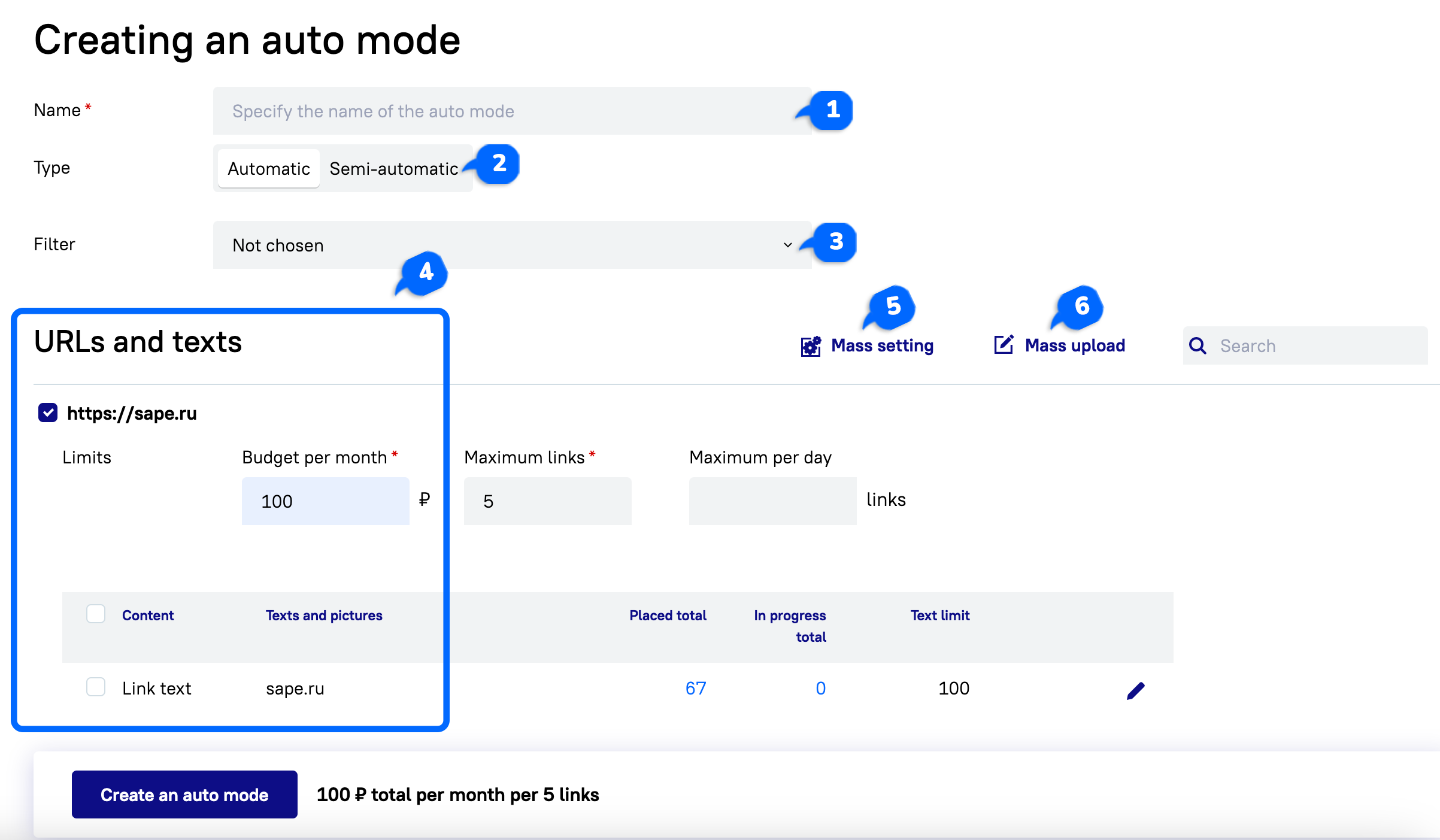
name of the auto mode(1);
promotion type — automatic/semi-automatic (2);
filter — select from saved or create a new (3);
URLs and Anchor Texts (4):
bulk setting (5) — possibility to set limits for all selected URLs:
monthly budget — maximum total value of links;
maximum of backlinks — maximum number of backlinks purchased;
maximum backlinks per day — daily quantity of backlinks purchased.
mass loading (6) — selecting from existing or adding new ones.
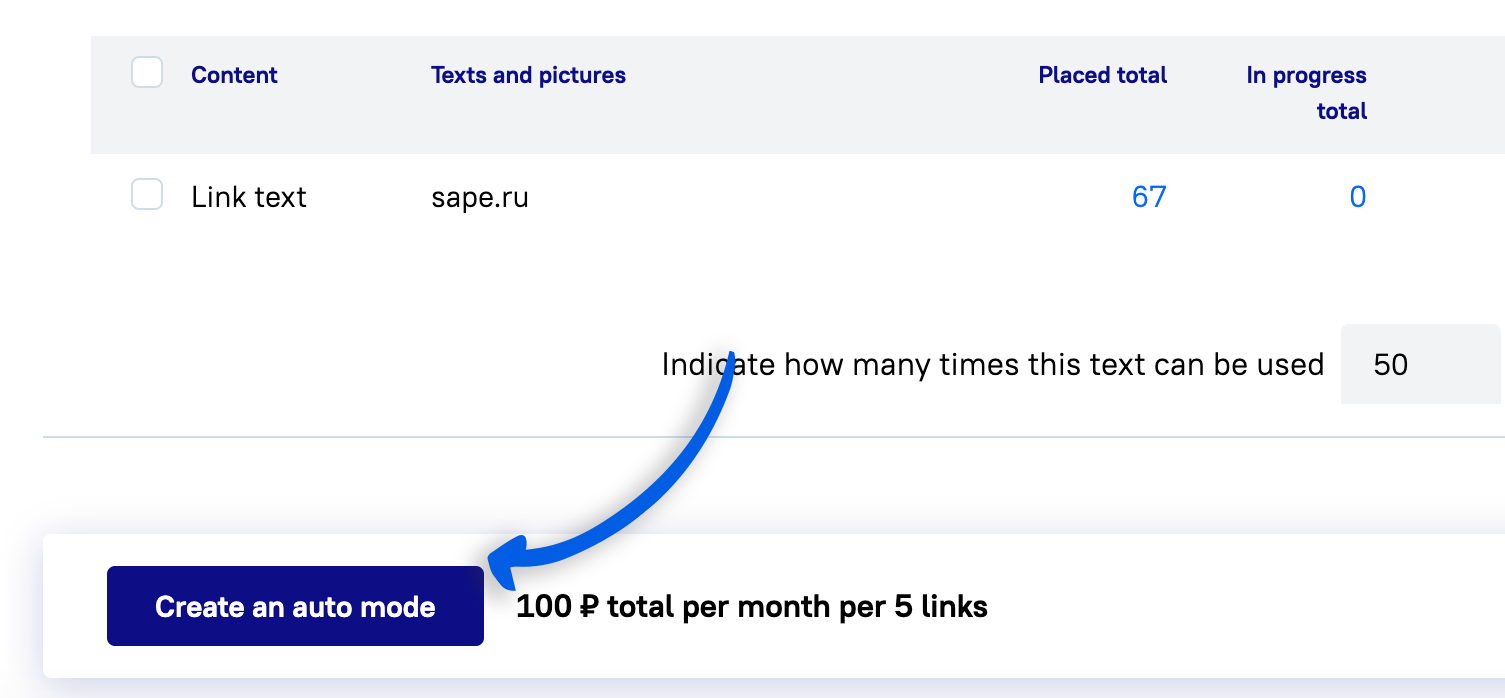
After the configuration is complete, click the “Create Auto mode” button.
Auto mode configuration
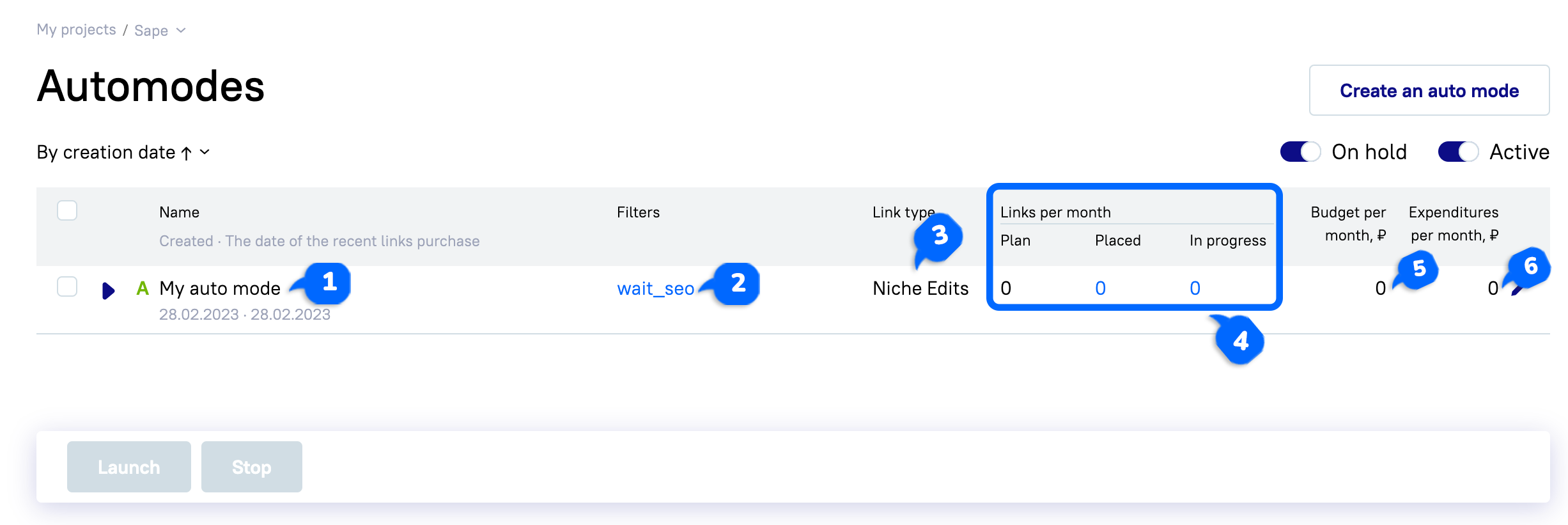
In the already created Auto mode you can see:
The name of the auto mode (1).
Name of filter used (2).
Type of backlinks to be purchased (3).
Number of backlinks (planned, placed, in progress) (4).
Monthly budget (5).
Monthly budget expenditure (6).
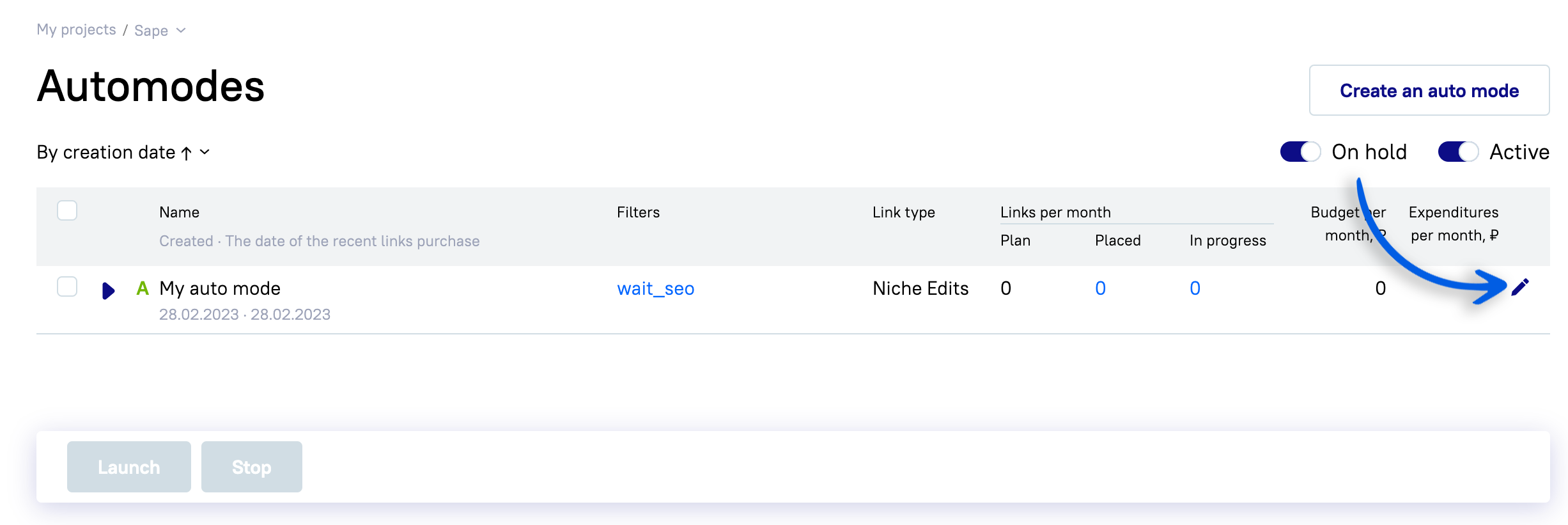
You can edit each of the auto modes by pressing the pencil on the right.
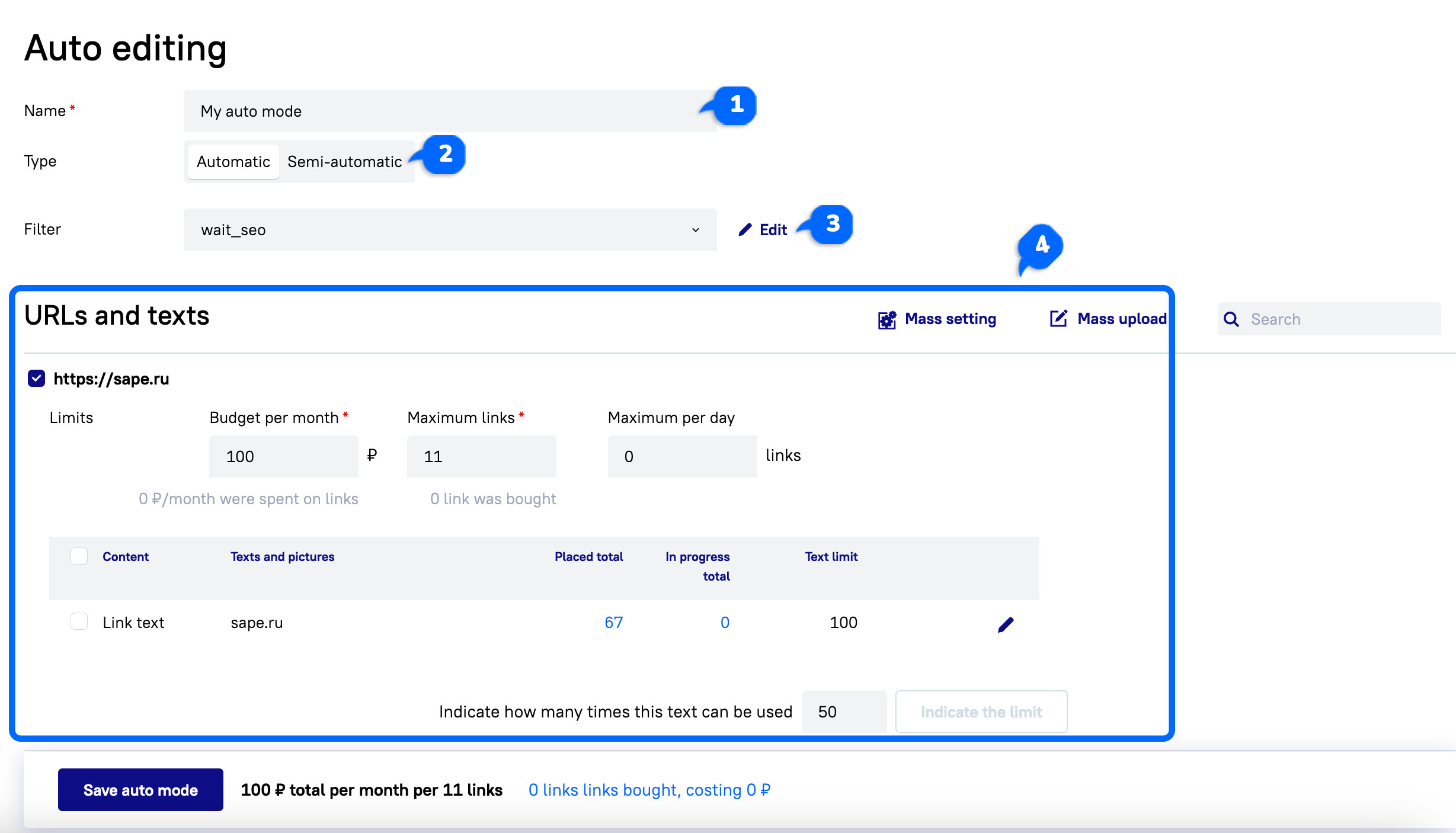
You can change:
title (1);
type (automatic/semi-automatic) (2);
used filter (3);
add URLs and anchor texts (4).
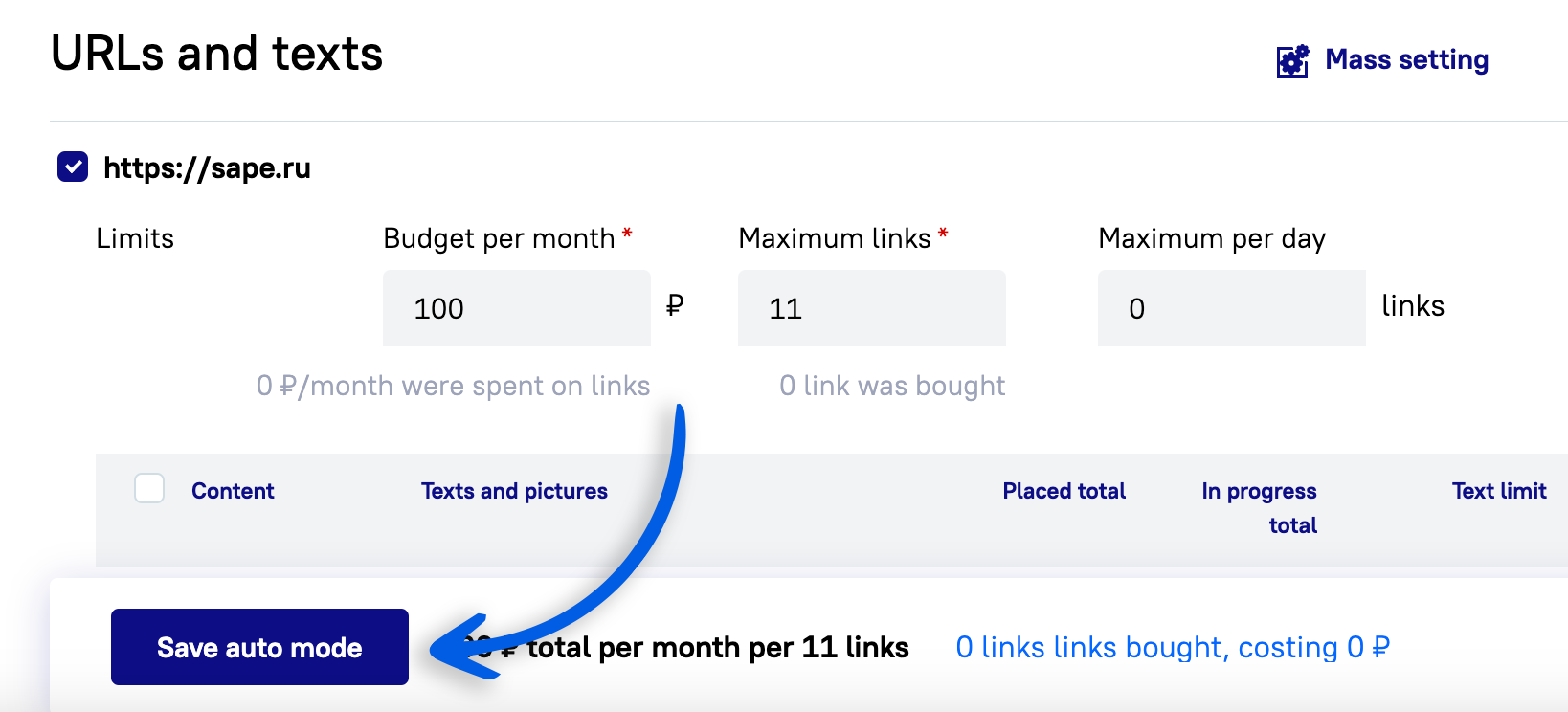
After that, you will need to save the changes.